
How to Set Up a Convenient Charging Station for Your Devices
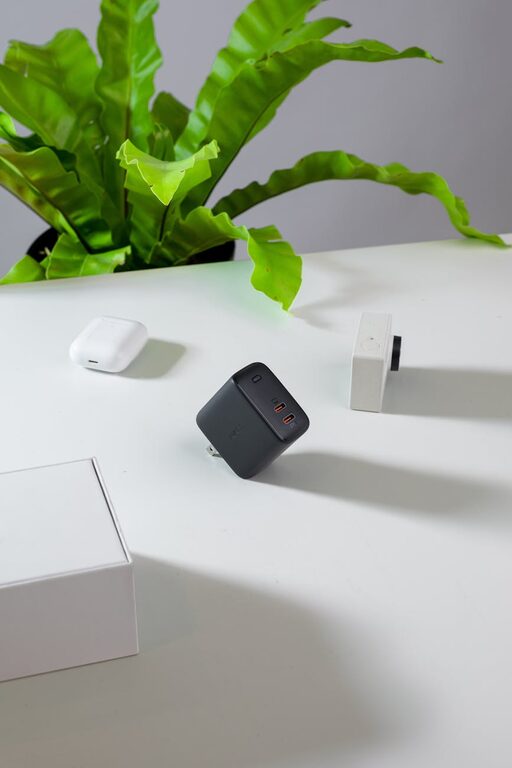
Setting up a dedicated charging station for your devices can save you time, reduce clutter, and keep your gadgets ready to use whenever you need them. Whether you have smartphones, tablets, smartwatches, or wireless earbuds, creating a well-organized charging area can help streamline your daily routine.
In this post, we’ll walk you through everything you need to know to set up an efficient and neat charging station at home or in the office.
Why Create a Charging Station?
With multiple devices requiring regular charging, wires can quickly tangling and power outlets can become overcrowded. A charging station allows you to:
– Centralize device charging in one spot
– Keep cables organized and untangled
– Avoid overcrowding outlets and power strips
– Prevent lost chargers and cables
– Maintain a clean, tidy space
Whether placed in your living room, on a desk, or near your bedside, a charging station makes it easy to power all your devices efficiently.
What You Need to Set Up a Charging Station
Before you start, gather the necessary tools and materials. Here’s a basic list to help:
Essential Items
– Power strip with multiple outlets: Preferably with surge protection
– Multi-port USB charger or charging dock: Choose one with enough USB ports for your devices
– Charging cables: Keep the right types for your gadgets (e.g., USB-C, Lightning, Micro USB)
– Cable organizers: Clips, sleeves, zip ties, or cable boxes
– Device stands or holders (optional): To position devices neatly
– Label tags (optional): To identify cables and ports
Optional Accessories
– Small storage box or drawer for extra accessories
– Velcro strips or adhesive mounts to secure power strips
– Wireless charging pad if your devices support wireless charging
Step-by-Step Guide to Building Your Charging Station
1. Choose a Location
Select a spot where you typically use or store your devices. Common locations include:
– Desk or home office
– Living room side table
– Nightstand or bedroom dresser
– Kitchen counter
Make sure your chosen spot has easy access to a power outlet.
2. Select the Power Source
A power strip with surge protection is ideal for safety and provides multiple outlets. If you have many USB devices, investing in a multi-port USB charger can reduce the number of adapters needed and save space.
3. Sort and Gather Your Devices
Decide which devices will be charged regularly at your station. Group similar devices to simplify cable management—for example, keep all phones in one area and tablets in another.
4. Organize Cables
Cable clutter is the most common issue with charging areas. Here are some tips to keep cables tidy:
– Use cable clips or holders to guide cables along surfaces
– Bundle extra cable length with zip ties or Velcro straps
– Consider a cable box to hide power strips and adapters
– Label cables to quickly identify which device they belong to
5. Set Up Device Holders or Stands
Using stands or holders keeps your devices upright, making them easier to see and grab. Many charging docks include designated slots to hold devices at a comfortable angle.
6. Place and Connect Devices
Arrange devices in your chosen spot, plug in cables, and connect chargers to your power source. Make sure the cables are long enough to reach devices without tension but not so long that they create excess slack.
7. Test and Adjust
Plug in your devices to ensure everything charges properly. Adjust cable lengths and positions to optimize both convenience and appearance.
Tips for Maintaining Your Charging Station
– Regularly declutter old or unused cables and chargers
– Keep the surface clean and dust-free
– Rotate charging cables if you have backups to extend their lifespan
– Consider adding a small basket or tray for incoming devices needing a charge
Advanced Ideas to Enhance Your Charging Station
– Smart plugs: Use smart outlets to schedule charging or monitor energy use
– Built-in USB ports in furniture: Certain desks and tables include integrated charging stations
– Wireless charging pads: Reduce cable use by opting for Qi wireless chargers for compatible phones and accessories
– Portable power banks: Store a couple for on-the-go charging needs
Final Thoughts
Creating a dedicated charging station is a simple yet effective way to organize your devices and reduce daily hassle. With a few basic supplies and some planning, you can build a tailored charging area that looks tidy and works efficiently for your lifestyle.
Try setting up your charging station today and enjoy the convenience of having all your devices charged, organized, and ready to use!